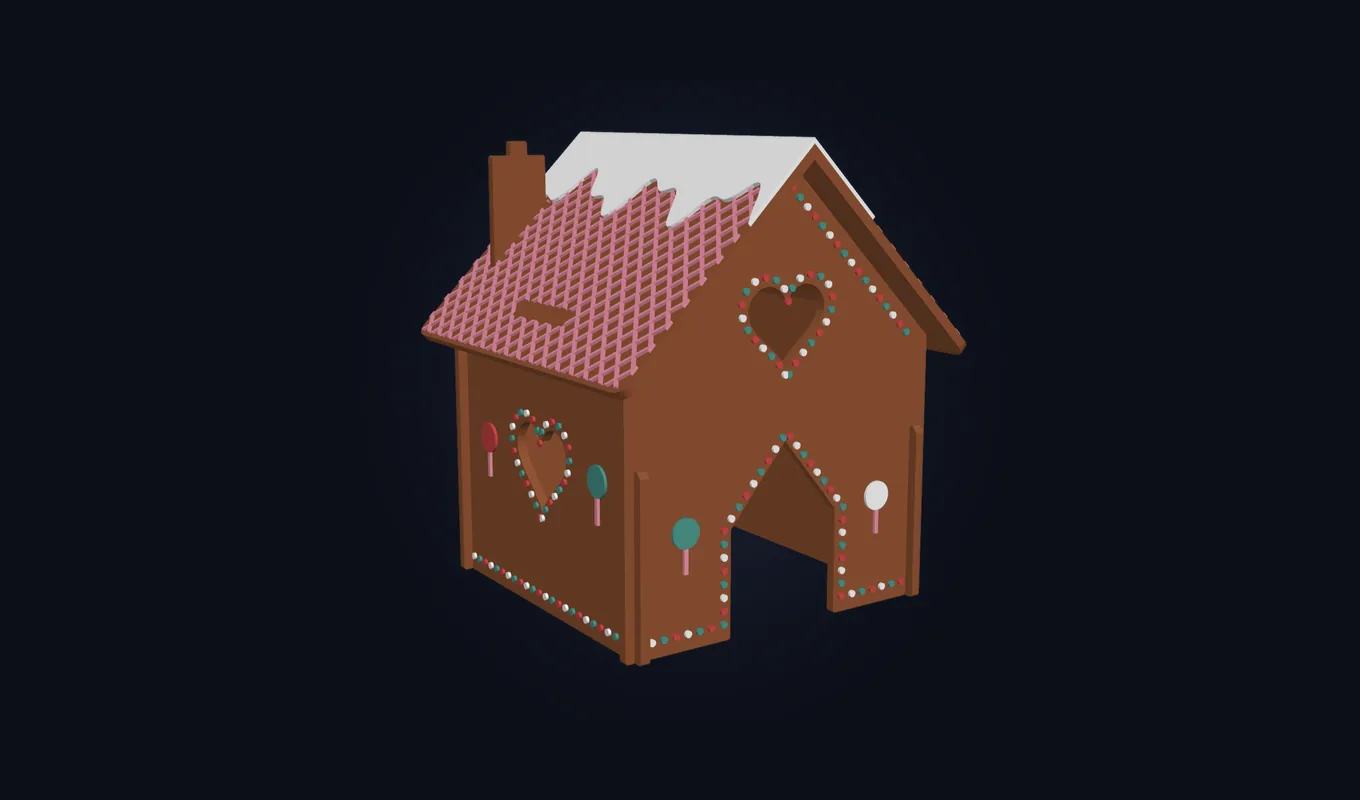
Pick a door, windows, a chimney, icing and colors with big picture buttons, and watch the 3D house change as you go. Then print it as one flat Kit Card, cut out the pieces and slide them together. No glue, no 3D design software, and no account.
What kids can design
- The house: door, top window, side windows and chimney, from picture tiles
- Decorations: icing edges, window trim, a roof pattern, snow, candy dots and little pictures
- Colors: named color circles for the house, icing and candy
- Their own words: two lines on the Kit Card's label, like MERRY / CHRISTMAS or their name
- Ornament: two small ribbon holes in the roof, to hang the house on the tree
- Size: Small, Medium, Large or Giant, from 157 to 320 mm, checked against your printer
- Ready-made houses: Classic, Candy Land, Snowy Night and Mint Cottage, or Surprise me
How it works
- Pick your printer, whether it has an AMS (Automatic Material System), and the size.
- Design the house and set the words on the label.
- Press Make it!, download the 3MF file and open it in Bambu Studio. With an AMS the colors print by themselves; without one you swap filament once.
- Build it: cut the pieces out of the card, slide the walls together, fold the roof and press it on.
Open the generator on MakerLab
For teachers and classrooms
Set up your classroom once: pick your printer, AMS, size and colors under For teachers and you get one class code. Students type the code and go straight to designing, with every house sized and colored for your printer. The code holds only those settings: no student names, no accounts, and nothing is saved.
It makes a good holiday lesson: design, a little geometry as flat pieces fold into a 3D house, and a finished model every student takes home. Using it in a non-commercial classroom, such as a public school class, is free.
For families
Your child designs, you print. When the house is ready, they press Share Code and send you the code; you paste it on your computer and the exact same house opens. The house is built in the browser, and your child's design and words stay on the device unless you choose to share them.
Perfect for Christmas and holiday parties
- Before the party: each child designs a house, and you print them ahead of time.
- At the party: everyone builds their own house at the table. It takes minutes and needs no glue.
- To take home: hang it on the tree with a ribbon, or put names on the labels as place cards or gift tags.
It works just as well for Thanksgiving, a winter class party, an advent activity or a gingerbread day at school.
Selling the houses
Every house made with the generator is a version of our Gingerbread House Kit Card, under the same Standard Digital File License: free for non-commercial use. To sell printed houses at a Christmas market or online, you need our Commercial License.
Questions
Is the gingerbread house generator free?
Yes. It is free to use on MakerLab, with no account or sign-up needed.
Can kids use it on their own?
Yes. It was made for kids: big picture buttons, named colors and a 3D house they can spin. A grown-up helps with printing and cutting the pieces out.
How do class codes work?
The teacher picks the classroom printer, AMS, size and colors once and gets one class code. Students type it in and go straight to designing with the right settings. The code only holds those settings: no names, no accounts, and nothing is saved.
How do I print my child's house on another computer?
Your child presses Share Code and sends you the code. You paste it under Open a house on your computer, and the exact same house opens, ready to print.
Do I need an AMS?
No. Without an AMS (Automatic Material System) the house prints in two colors with one filament swap; the generator adds the pause for you. With an AMS, all the colors print by themselves.
Which printers does it work with?
Bambu Lab printers: A1 mini, A1, P1S, P2S, H2S, H2D, H2C and A2L, plus more under Other printer. Sizes too big for your printer are grayed out.
Can I sell the houses?
Every house made with the generator comes under the same Standard Digital File License as the model: free for non-commercial use, such as at home or in a non-commercial classroom. To sell printed houses you need our Commercial License. Uploading or sharing the files is not allowed.
More to build: ChristmasCards, all our Kit Cards and our 3D printing course for kids and families.