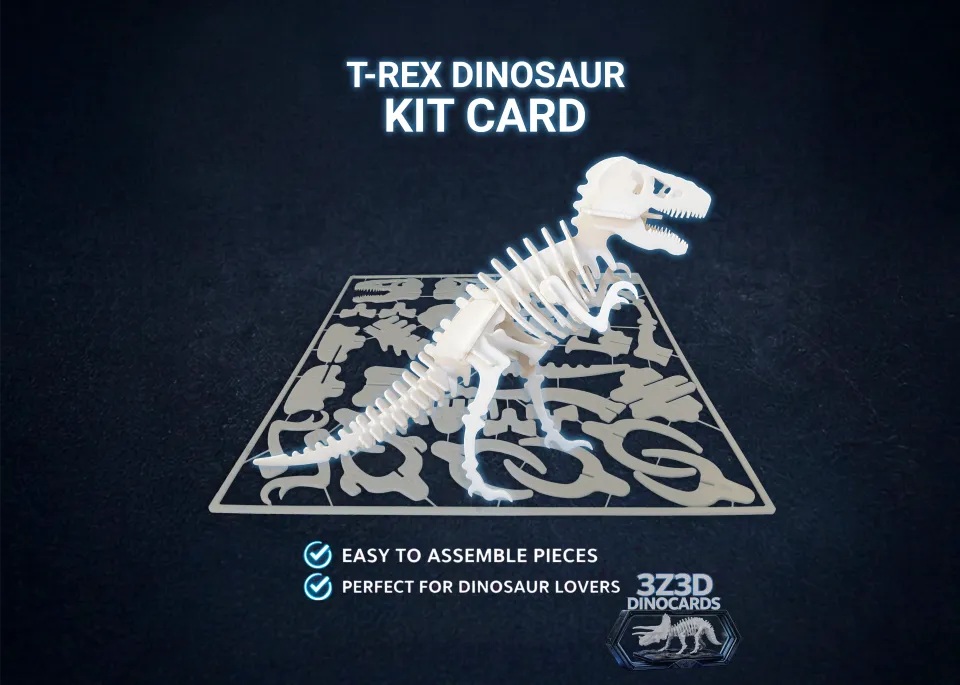
A Kit Card is a flat 3D print with numbered pieces held in a frame, like a plastic model kit on its sprue. You print it in one go, cut the pieces out and slot them together by number into a standing model. Here is how, step by step.
What you need
- A Kit Card file, free on MakerWorld: dinosaurs, bugs, dragons and more
- Any 3D printer and one color of PLA or PETG
- Flush cutters (a craft knife or small file helps for tidying up)
- The model's numbers picture, on its MakerWorld page
1. Pick the size
Most Kit Cards come in two sizes: a 230 mm card for printers with a big enough plate, and a smaller card for the Bambu Lab A1 mini and other small printers. Each size has its own print profile on MakerWorld.
2. Print it
Use the print profile on the model's MakerWorld page. The card prints flat on one plate, in one color, with no supports. A 230 mm card takes about 2 to 2.5 hours; the small card about 1 to 1.5 hours.
3. Take it off the plate
Let the plate cool before you lift the card off: a warm card bends. Flex the plate and the card comes away. This short video shows how:
4. Cut out the pieces
Cut each piece from the frame with flush cutters, close to the piece, the way you would with a plastic model kit. Trim any little nubs left behind so the slots fit cleanly. Keep the pieces in number order as you go.
5. Build by number
Open the numbers picture on the model's MakerWorld page and slot the pieces together in order. Push each slot straight down rather than twisting. Most models also have a build video on MakerWorld and on our YouTube channel.
If the pieces are too tight or too loose
Every printer and filament prints a little differently. Several of our dinosaurs include a fit test with tight, standard and loose slots, so you can pick the one that suits your printer. A slot that is slightly tight can be eased with a file. One maker reported that glow-in-the-dark PLA, which is rougher, made the slots harder to push together, so start with standard PLA.
Show it off
Stand the model next to its empty frame and people can see how it started. Kit Cards also make good gifts: give the flat card and let someone build it themselves.
Questions
How do you take a Kit Card off the build plate?
Let the plate cool, then flex it and the card comes away. Lifting it while warm can bend the pieces.
What do I cut Kit Card pieces out with?
Flush cutters, close to each piece, like a plastic model kit. Trim any nubs so the slots fit.
The pieces don't fit. What can I do?
Some of our models include a fit test with tight and loose slots; print the one that suits your printer. A slightly tight slot can be eased with a small file.
Do I need supports or an AMS?
No. Kit Cards print flat on one plate in one color, with no supports and no AMS (Automatic Material System).